How to create a Claude account without your phone number (2026)
Short answer: yes, there are three ways around it. Sign up with your Google account and the phone step may not show up at all. If Claude insists on a code, a private temporary number gets you through it. And if verification keeps failing, Anthropic has a manual review form for exactly that situation.
On this page
- Does Claude always ask for a phone number? It depends on 3 things
- Claude rejects VoIP numbers and landlines: Anthropic's official policy
- Sign up with Google or email: the no-number route
- Use a private temporary number when Claude demands an SMS code
- Claude verification errors and what each one means
- FAQ
Does Claude always ask for a phone number? It depends on 3 things
I wish I could give you a clean yes or no here, but Claude's phone verification isn't consistent, and after going through the signup flow myself a few times, I've noticed it comes down to three things.
First, your region. Whether the phone step even appears depends on which country Claude thinks you're signing up from. Some regions get asked, some don't, and Anthropic doesn't publish a list. Second, how you log in. Choosing "Continue with Google" or Apple sometimes skips the phone step entirely, because that login already carries a trust signal Anthropic can check. Sign up with a bare email address and you're more likely to see the SMS prompt. Third, your IP reputation, especially if you're running a VPN. If your VPN says you're in Germany but the phone number you'd use is from the Philippines, that mismatch alone can trigger extra checks or a flat block.
From my own testing, the pattern that worked best was a browser I already used daily, already signed into the Google account I wanted for Claude, with no VPN running. That combination skipped the phone step more often than not. One thing that tripped me up: Brave has a built-in VPN toggle that's easy to forget about, and leaving it on broke the signup twice before I noticed it was even there. Turn it off before you start.
I'll be straight with you: none of this is guaranteed. Anthropic hasn't documented a rule you can rely on, so treat a skipped phone step as a possible outcome, not a plan.
Claude rejects VoIP numbers and landlines: Anthropic's official policy
Before you try any workaround, it helps to know what Claude's verification system is actually built to block. Anthropic states this plainly in its own help documentation: you cannot use "VoIP numbers, Google Voice, phone numbers created using apps, landlines, or other numbers that can't receive texts." That's not a vague guideline, it's the stated policy, and it explains why so many people hit a wall on their first attempt.
The reasoning is straightforward once you understand how these numbers work. VoIP stands for Voice over Internet Protocol, meaning the number routes calls and texts through internet infrastructure rather than a mobile carrier's network. A landline can't receive text messages at all, full stop. And numbers generated inside an app rather than tied to a physical SIM card sit in the same low-trust bucket, because there's no carrier standing behind them the way there is with a real mobile connection.
Verification systems flag this category because it's the same infrastructure abused for mass account creation and spam. Anthropic isn't singling out any one provider, it's filtering by number type. And this matters for anyone reaching for what looks like the easy fix: most of the free "burner app" numbers people download in a hurry fall squarely into this rejected bucket. They're VoIP under the hood, no matter how the app markets them, and Claude's verification is built to catch exactly that.
What actually gets accepted
- A number tied to a real mobile carrier that can receive SMS or a voice call
- A number whose country matches (or at least doesn't obviously conflict with) your apparent location
What gets rejected on sight
- Google Voice numbers
- Landlines
- Numbers generated inside a burner or "second number" app
- Any number that can't physically receive a text
Sign up with Google or email: the no-number route
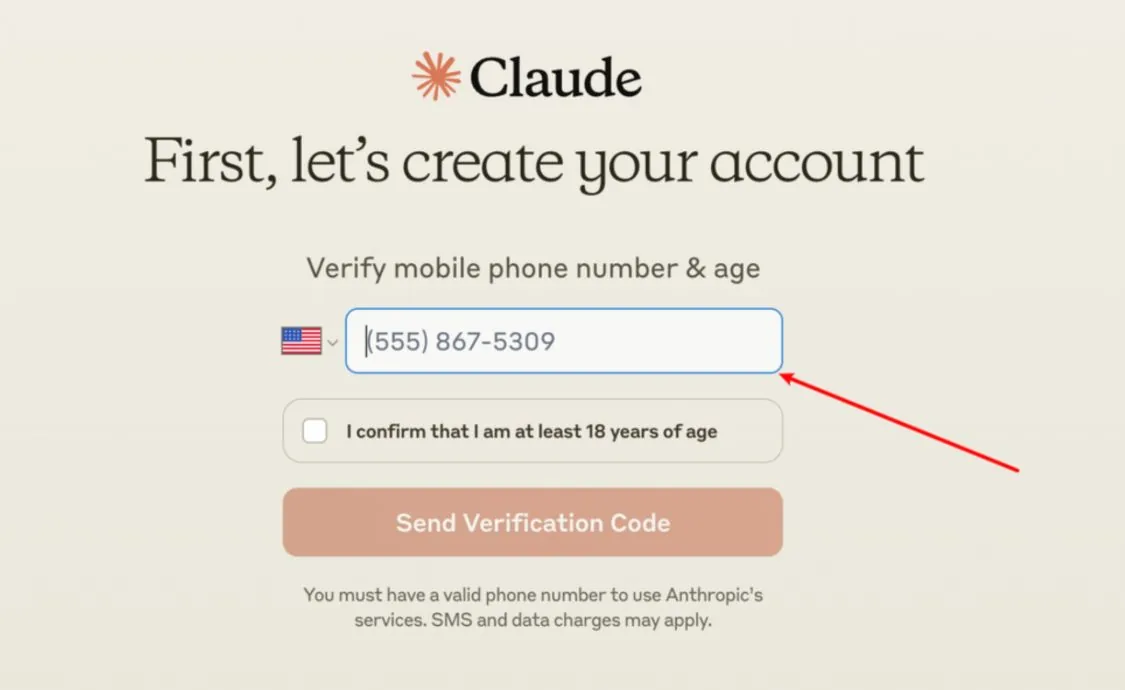
This is the method I'd try first, because when it works, it's genuinely the simplest path and you never touch a phone number at all. I've run through this signup a handful of times on different machines, and the setup before you even open the Claude page matters more than anything you do on it.
Here's the sequence that's worked for me most consistently.
Before you start
- Use a clean browser session, one where you're already logged into the Google account you actually want tied to Claude
- Turn off any VPN, including browsers with a built-in VPN toggle (Brave is the one that caught me out)
- Disable ad blockers or privacy extensions for the signup page, at least temporarily
- Make sure your connection is stable, because a dropped connection mid-verification can force you to restart the whole flow
Step by step
- Go to Claude's signup page
- Choose "Continue with Google" if you want the best odds of skipping phone verification, since Google's own login already vouches for you
- If you'd rather not use Google, sign up with an email address instead and confirm the verification link Anthropic sends you
- Complete whatever profile details Claude asks for next
- Check whether you land straight in the chat interface or get stopped at a phone number prompt
I want to be honest about the success rate here, because I don't think it's fair to oversell it. This route works often, but not always. Some accounts sail through with just the Google login. Others get the phone prompt anyway, usually tied to the region or IP factors I mentioned earlier. If that happens to you, don't keep retrying the same login over and over hoping for a different result, it won't change. Move on to getting a number instead.
Use a private temporary number when Claude demands an SMS code
If Claude stops you at the phone step and won't let you through with Google or email alone, you need a real number that can actually receive a text. This is where a free app usually fails, because as covered above, those are VoIP under the hood and Claude rejects them. A private temporary number solves the actual problem: it's tied to a real SIM, it's assigned only to you, and it costs about a dollar to receive one code.
I've used SV Number for this exact situation. The core idea is renting a phone number for 20 minutes, just long enough to receive the one text you need and finish signup. Because the number is exclusive to you for that window rather than shared across dozens of other signups at once, it hasn't already been used on Claude by someone else, which is what causes the "number already used" wall.
Why this works when free options don't
| Factor | Free burner apps | SV Number (private temporary) |
|---|---|---|
| Number type | Usually VoIP | Real SIM card |
| Assignment | Shared across many signups | Exclusive to you for the rental window |
| Cost | "Free" with in-app catches | Pay-as-you-go, see prices |
| If the code fails to arrive | Usually nothing you can do | Free replacement or refund |
Step by step
- Go to sms-verification-number.com and pick a supported country. US or UK both work well for Claude
- Select Claude from the list of services
- Rent the number and copy it into Claude's phone field
- Request the code from Claude, then check the SV Number page for the incoming text
- Enter the code in Claude and finish creating your account
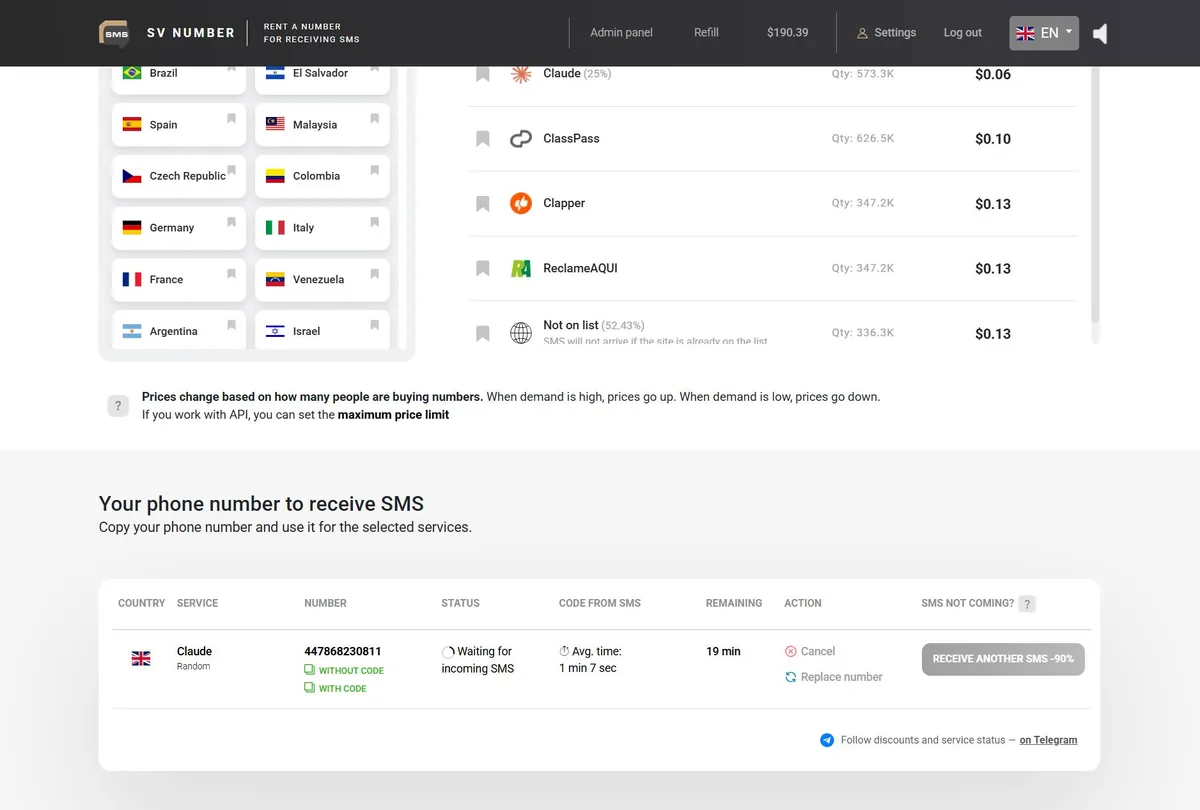
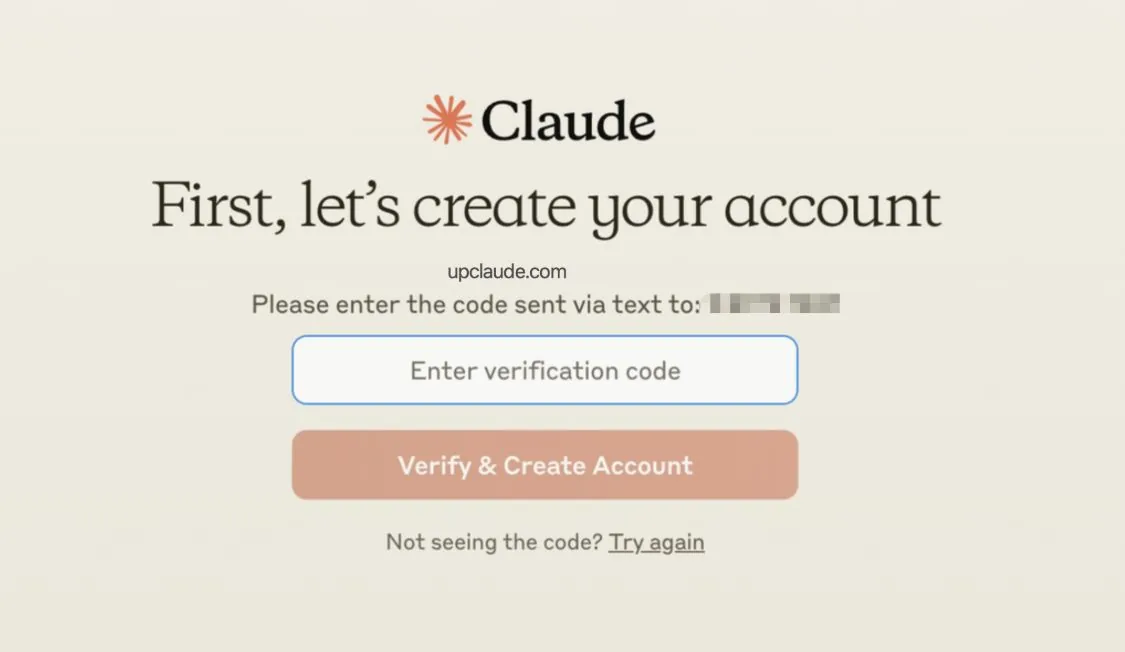
On payment: there's no subscription involved, you pay per number. You can cover it with crypto at 0% fee or with a Visa or Mastercard, whichever you've got set up already.
Claude verification errors and what each one means
If you've made it this far and Claude is still throwing an error at you, the message itself usually tells you what's wrong, once you know how to read it. I've collected the ones people run into most, along with what actually fixes them.
| Error or symptom | What it means | What fixes it |
|---|---|---|
phone_number_temp_blocked | Too many verification attempts in a short window | Stop retrying immediately, wait before trying again |
| Unsupported phone line type | The number is VoIP, a landline, or app-generated | Use a number tied to a real SIM card instead |
| Number already used too many times / already in use | That number is tied to another Claude account | Use a different number. This is by design, one number locks to one account |
| Code not received | Delivery issue, not always the number's fault | See the checklist below |
If the code just isn't arriving
This one's frustrating because the cause isn't always obvious. Here's what I've seen actually work, roughly in the order I'd try them:
- If you chose email verification, check your spam or junk folder before assuming it's broken
- Restart your phone. Sounds too simple, but it clears a surprising number of delivery hiccups
- Toggle airplane mode on and off, wait about 10 to 15 seconds before turning it back off
- If Claude offers a voice call instead of SMS, take it, because the call often gets through when the text doesn't
- Wait a few minutes between requests rather than hammering "resend". Firing off too many too fast is often what gets you blocked in the first place
- Try a different browser. I've seen Chrome succeed on a signup that Brave had just failed
- Toggle the SIM off and on in your phone's settings
- Double-check the country code you entered matches the number you're actually using
Some carriers never receive Claude codes (the Nigeria MTN case)
Here's something I haven't seen written up anywhere else. In Nigeria, numbers on the MTN network were consistently rejected during Claude verification, while Glo numbers on the same signup attempt worked immediately, with no delay and no error.
The takeaway isn't that MTN is broken or that Nigeria doesn't work for Claude. It's that in some regions, the block is carrier-specific rather than country-specific. If you're stuck on a number from one carrier, the fix isn't to keep retrying the same one. It's switching to a different carrier, or picking a number from a country you know is fully supported.
FAQ
Can I skip Claude phone verification?
Sometimes. Signing up with Google or Apple can skip it, but Anthropic hasn't documented a way to make that happen every time. Treat it as a possibility, not something you can plan around.
Does paying for Claude Pro remove the phone step?
No. Phone verification happens at account creation, before you've paid for anything. Upgrading to Pro afterward doesn't change or remove a number you already verified.
Will Google Voice or a VoIP number work?
No. Anthropic's own policy rules out VoIP numbers, Google Voice, app-generated numbers, and landlines specifically because they can't reliably receive texts the way a real mobile connection can.
Can I change my verified number later?
Not currently. Claude doesn't offer a way to swap out a verified number once it's attached to your account, so get it right the first time.
Can I have two Claude accounts on one number?
No. One phone number locks to one account at signup. Try to verify a second account with the same number and you'll get an "already in use" error. That's by design, not a bug.
What if verification keeps failing no matter what I try?
Anthropic has a manual review option for exactly this. It runs its own phone verification form, where you submit your name, email, and phone number, and the team reviews the account manually, usually within 1 to 2 business days. One detail that trips people up: the email you submit has to match your Claude login email exactly, or the request won't line up with your account.